



Choosing a laptop in 2025 can feel overwhelming. With hundreds of models on the market—each boasting different specs, processors, and features—many people end up buying either too much or too little for what they actually need. Whether you’re a student, a professional, a gamer, or someone who simply wants a reliable device for everyday use, finding the perfect balance of performance, portability, and price is key. This guide breaks down everything you need to know before making your decision, helping you confidently choose the right laptop for your specific needs.
Understanding Your Usage and Needs
Before diving into brands or specifications, start by identifying how you’ll primarily use your laptop. Your daily tasks will determine what kind of performance, battery life, and hardware you should look for.
-
For Students: Portability, long battery life, and affordability matter most. A lightweight laptop with a decent processor and at least 8 GB of RAM is ideal for research, writing, and online classes.
-
For Professionals: Look for reliability and performance. If you work with spreadsheets, presentations, or graphic design, a powerful processor and 16 GB of RAM will keep things smooth.
-
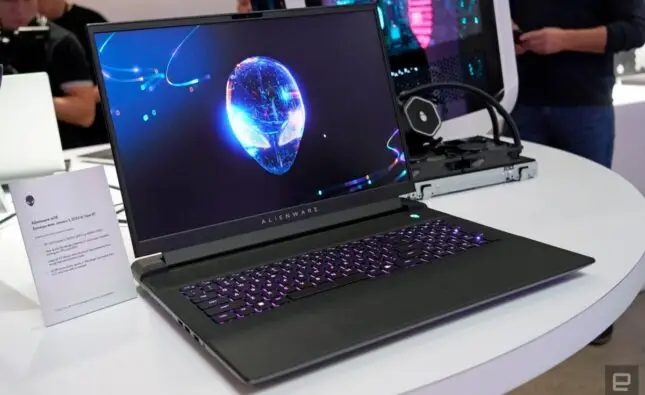
For Gamers: Prioritize graphics performance and display quality. Gaming laptops require a dedicated GPU, efficient cooling, and high refresh rate screens.
-
For Creators (Photo/Video Editing): Choose a laptop with a strong CPU, dedicated graphics, and a color-accurate screen.
-
For Everyday Use: Basic tasks like browsing and streaming can be handled by affordable, energy-efficient models.
Knowing what you need prevents overspending on features you’ll never use or under-investing in performance that you’ll quickly outgrow.
Key Features to Consider Before Buying
Once you know your usage pattern, focus on the technical aspects that actually impact performance and usability.
1. Processor (CPU)
The processor is the heart of your laptop. In 2025, you’ll mainly find Intel Core Ultra and AMD Ryzen 8000 series chips. For general use, a mid-range Intel Core i5 / Ryzen 5 is enough. Professionals or gamers should aim for i7/i9 or Ryzen 7/9, which handle multitasking and demanding applications with ease. Apple’s M3 chips are also excellent for those in the Mac ecosystem, offering strong efficiency and performance.
2. Memory (RAM)
RAM determines how many tasks your laptop can handle at once.
-
8 GB: Sufficient for web browsing and light work.
-
16 GB: The sweet spot for most users, including creators and professionals.
-
32 GB or more: Recommended for gaming, video editing, and heavy multitasking.
3. Storage (SSD vs HDD)
In 2025, almost all laptops feature SSD (Solid State Drive) storage—and for good reason. SSDs are faster, quieter, and more reliable than HDDs. A 512 GB SSD offers a great balance between space and price, while professionals dealing with large files may opt for 1 TB or higher. If budget allows, consider models supporting additional SSD expansion.
4. Graphics Card (GPU)
If you game, edit videos, or design 3D models, a dedicated GPU such as NVIDIA RTX 40/50-series or AMD Radeon graphics is crucial. For everyday tasks or streaming, integrated graphics (like Intel Arc iGPU or AMD Radeon RDNA 3) perform very well without adding cost or battery drain.
5. Display Quality
Your screen is your daily window into everything. Choose wisely.
-
Resolution: Aim for at least Full HD (1920×1080). QHD or 4 K offers crisper visuals for design or media work.
-
Refresh Rate: Gamers should look for 120 Hz or higher for smooth motion.
-
Panel Type: IPS and OLED panels deliver richer colors and better contrast than basic LCDs.
-
Size: 13–14″ is ideal for portability; 15–16″ suits productivity; 17″ is for creators and gamers needing more screen space.
6. Battery Life
Battery life often defines a laptop’s practicality. Ultrabooks can last 10–15 hours, while gaming laptops may last only 4–6 hours under heavy use. If you travel frequently or attend classes all day, prioritize endurance over raw power.
7. Build Quality and Portability
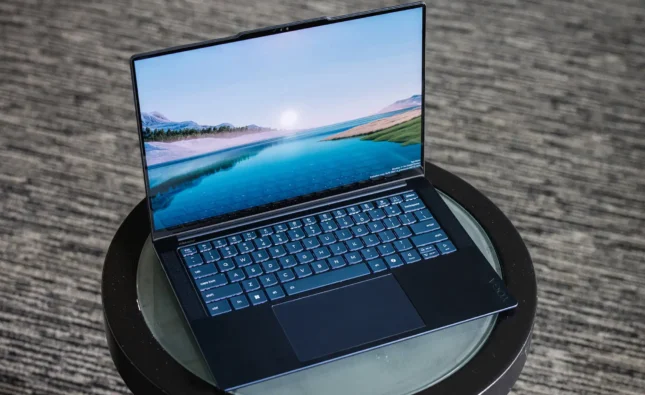
A good build ensures durability. Metal or aluminum-chassis laptops tend to feel premium and resist wear better than plastic ones. Pay attention to weight—under 1.5 kg is excellent for portability. Also, check keyboard comfort and touchpad responsiveness; these are details you’ll appreciate every day.
8. Connectivity and Ports
In a world of wireless accessories, ports still matter.
-
Ensure your laptop includes USB-C, HDMI, and at least one USB-A port.
-
For creators, an SD card reader can be a bonus.
-
Thunderbolt 4 / USB 4.0 ports offer faster data transfer and external GPU support.
9. Operating System
Choose between:
-
Windows 11: Versatile, compatible with most software, great for gaming and productivity.
-
macOS: Ideal for creative professionals and users in the Apple ecosystem.
-
ChromeOS: Lightweight, affordable, and best for basic use or students on a tight budget.
Matching Your Budget to Your Needs
A smart purchase means aligning expectations with your spending power. Here’s a simple breakdown:
-
Budget Laptops ($400 – $700): Good for students and light tasks. Expect Intel Core i3 / Ryzen 3 CPUs, 8 GB RAM, and 256 GB SSD.
-
Mid-Range ($800 – $1,200): Ideal for professionals and creators. Offers i5/i7 or Ryzen 5/7, 16 GB RAM, and 512 GB SSD.
-
Premium ($1,500 +): High-performance machines for gamers, designers, and developers. Expect dedicated GPUs, better cooling, and stunning displays.
Special Considerations for 2025 Buyers
Technology evolves fast, and 2025 laptops introduce exciting new features that can make a big difference.
-
AI-Enhanced Performance: Many models now include AI chips that optimize battery usage, cooling, and multitasking automatically.
-
Wi-Fi 7 Support: For faster, more stable internet connections—important for remote workers and gamers.
-
Touch and 2-in-1 Designs: Convertible laptops with touchscreens and stylus support are perfect for creativity and note-taking.
-
Sustainability: Eco-friendly laptops built with recycled materials and energy-efficient chips are increasingly popular.
Tips Before You Buy
-
Read User Reviews: Real-world experiences reveal strengths and flaws that spec sheets miss.
-
Compare Prices: Different retailers often have big price gaps for the same configuration.
-
Check Upgrade Options: Some laptops let you upgrade RAM or storage later, extending lifespan.
-
Test Before You Buy: If possible, visit a store to feel the keyboard, display brightness, and overall comfort.
-
Don’t Chase Hype: Focus on what you actually need, not just flashy marketing terms.
Frequently Asked Questions (FAQs)
Q1: Should I buy a laptop with Windows, macOS, or ChromeOS?
If you’re used to Windows apps and gaming, go with Windows. If you’re in the Apple ecosystem or do creative work, macOS shines. ChromeOS is best for budget-friendly, web-based usage.
Q2: How much RAM is enough for most users in 2025?
For general users, 16 GB RAM ensures smooth multitasking. Only heavy gamers or professionals editing 4 K video truly need 32 GB or more.
Q3: Is a touchscreen laptop worth it?
It depends on your habits. For designers, students taking notes, or tablet users, it’s a great bonus. But for everyday work, a standard screen may suffice.
Q4: How often should I replace my laptop?
With proper care, a quality laptop can last 5–7 years. Upgrading RAM or storage midway can extend its life further.
Q5: What’s the most important factor for long-term satisfaction?
Balance. A laptop with a strong CPU, sufficient RAM, and a comfortable design usually delivers the best long-term experience—better than chasing one “top” feature.
Final Thoughts
Choosing the right laptop isn’t about buying the most expensive one—it’s about finding a perfect match for your needs. Start by defining your purpose, then focus on key specs like processor, memory, storage, and battery life. Remember, in 2025 you have more options than ever: slim ultrabooks, powerful gaming machines, and smart AI-optimized laptops that adapt to your usage. Whether you’re studying, working, creating, or gaming, there’s a laptop designed just for you. Take your time, compare options, and invest wisely—the right laptop will be your most reliable companion for years to come.