


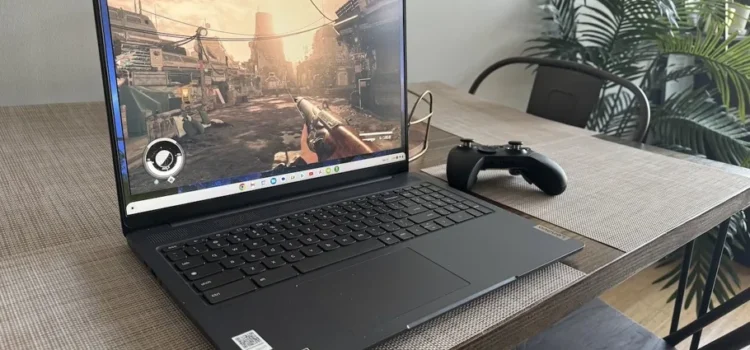
Finding a solid laptop for under $500 in 2025 no longer means sacrificing all performance and features. Today’s budget machines offer decent processors, Full HD displays, SSD storage, and solid build quality — enough for students, remote work, browsing, streaming, and everyday use. The challenge is knowing what matters, what compromises to accept, and which models deliver real value. In this guide, we’ll walk you through what to look for in budget laptops and highlight some of the best options available within the $500 range.
What to Focus On in a Budget Laptop
When your budget is capped around $500, prioritizing the right features makes a big difference. First, look for at least 8 GB of RAM and an SSD (256 GB is a good baseline) rather than the older HDDs — this ensures snappy boots and faster app responsiveness. A Full HD (1920×1080) screen matters too, because lower-resolution displays make reading, working and streaming less enjoyable. The processor should ideally be a recent Intel Core i3/N-series or AMD Ryzen 3/5 U-class; these deliver enough power for everyday tasks and multitasking. Portability, battery life and build quality also matter: a lightweight device with decent battery life (7-10 hours or more) will serve you well. Finally, check upgrade-paths and connectivity: a laptop with USB-C, HDMI, and an extra slot for additional storage or RAM will extend its useful life.
Top Budget Picks for Under $500
Acer Aspire 5 (2025 Edition)
This model often appears in “best budget laptop” lists for 2025 and provides excellent value under $500. It offers Full HD display, 8 GB RAM, SSD and a good port selection. According to reviewers, it stands out for performance, battery and usability.
Lenovo IdeaPad 3 / 3i
Lenovo’s IdeaPad 3 line is consistently praised for value. In the under-$500 range you’ll find configurations with Intel Core i3 or Ryzen 3 chips, 8 GB RAM and full-size keyboard layouts. Ideal for students and everyday work. s
HP Laptop 14 / Pavilion 15
HP offers sleek budget models with good build quality, such as the 14-inch or 15-inch versions under $500. These typically include recent Intel processors, SSD storage, and full-HD displays, making them reliable picks.
ASUS VivoBook 15
For those wanting a bit more screen size and style, the VivoBook 15 offers under-$500 configurations with Ryzen 5/AMD or equivalent Intel processors. Full HD display, decent battery life, and solid ergonomics make it a strong budget choice.
Chromebook Options
If your usage is mostly web-based, streaming or Google Apps, Chromebooks under $500 can offer exceptional value. Models like the Chromebook Plus or Detachable 2-in-1 units provide long battery life, lightweight designs, and often undercut Windows machines.
Why These Models Stand Out
These laptops manage to hit the sweet spot of cost vs functionality. They deliver enough power for everyday use without major compromises. Reviewers note things like “good performance for the price” and “you don’t have to spend a fortune to get usable specs” for machines under $500. They offer what’s truly important: smooth everyday performance, decent screen, good build quality and acceptable battery life — rather than high-end gimmicks you’ll rarely use.
Things to Accept (and What to Avoid)
At the under-$500 price point, expect some trade-offs. You may find:
-
Lower-end GPU or no dedicated graphics: If you plan heavy gaming or 3D work, these models won’t match high-end machines.
-
Basic display brightness or colour accuracy: Full HD is standard, but don’t expect premium colour gamut or high refresh rates.
-
Plastic chassis instead of premium metal builds.
-
Limited upgrade options: Some models might have soldered RAM or no extra slots.
Avoid: very low RAM (4 GB), mechanical hard drives (HDDs), outdated processors or display resolutions below 1920×1080. These factors significantly reduce the user experience.
How to Find the Best Deal
-
Watch for sales and discounts: Budget laptops often drop under $500 during sales or back-to-school promos.
-
Compare specs, not just brands: Two laptops at the same price may differ widely in CPU, RAM or storage.
-
Check for upgradeability: If you can add extra RAM or storage later, you can extend the lifespan.
-
Check return policy and warranty: At the budget tier, good support matters.
-
Read real-world reviews: User comments in forums or on Reddit often reveal build issues or quality concerns.
Frequently Asked Questions (FAQs)
Q1: Can a laptop under $500 handle student assignments, web browsing and streaming?
Yes. Most well-spec’d models under $500—8 GB RAM, SSD, Full HD display—can smoothly handle tasks like Word processing, web browsing, video streaming and light multitasking. For heavier work (video editing, large datasets) you’d need a higher tier.
Q2: Is 8 GB RAM enough for a budget laptop in 2025?
For most users, yes. 8 GB is considered the baseline for smooth day-to-day performance under modern OS / apps. If you multitask heavily (lots of apps open, browser with many tabs) or plan professional work, go for 16 GB if possible.
Q3: Are Chromebooks under $500 a good option?
Absolutely — if your work is web-centric, using cloud apps and streaming. Chromebooks offer long battery life and fast performance in that niche. But if you need Windows-only software, serious offline work or games, stick with a Windows laptop.
Q4: How important is storage size (SSD) in budget laptops?
Very important. SSDs make a huge difference in everyday responsiveness compared with older HDDs. 256 GB is good for most users. If you handle large files (images, videos, games) you may need more and should check upgrade options or external storage.
Q5: When is the best time to buy a budget laptop?
Look for seasonal deals: back-to-school period, Black Friday or local sales. Models from earlier in the year often drop in price when new generations arrive. Buying mid-year can give you better value.
Conclusion
Budget laptops under $500 in 2025 offer real performance, reliable build quality and enough features for most daily users. Whether you’re a student, remote worker or casual user, you can find a machine that handles your tasks without costing a fortune. By focusing on key specs—such as RAM, SSD, display resolution and processor—you’ll get a device that lasts and performs. Choose trusted brands, keep your expectations realistic, and you’ll find value that rivals pricier machines. Spending smart matters more than spending more.