

As we age, staying connected, safe, and active becomes increasingly important. A well‑chosen smartwatch can serve as more than a time‑keeper—it can help seniors track their health, remain independent, and stay in touch with loved ones. But many smartwatches are built for tech‑savvy users, with small icons, complex menus, short battery life, and features that might confuse rather than assist. This article walks you through what features matter most for seniors, how to evaluate them, and what to look out for so you can select a smartwatch that truly meets your or a loved one’s needs.
Why a Senior‑Friendly Smartwatch Matters
For older adults, a smartwatch that’s designed with simplicity, safety and wellness in mind makes a big difference. Features like fall detection, emergency SOS, large readable text, and intuitive controls can support independent living. According to advisors for senior tech, big readable fonts, simplified navigation and safety features are among the most essential features for older users.
Beyond safety, being able to monitor heart rate, sleep, blood oxygen, or steps gives seniors insight into their wellness—without needing complex tech. And by staying connected via calls or messages on the wrist, they can retain connection even if they don’t constantly carry a phone. By choosing a watch tailored for older users, you improve usability, comfort and consistent use—not just features on paper.
Key Features to Prioritise for Seniors
When selecting a smartwatch for an older user, the following features stand out as especially helpful.
Large, clear display & simple interface
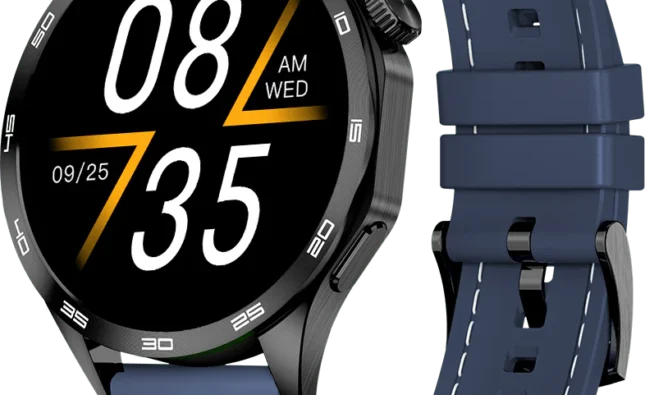
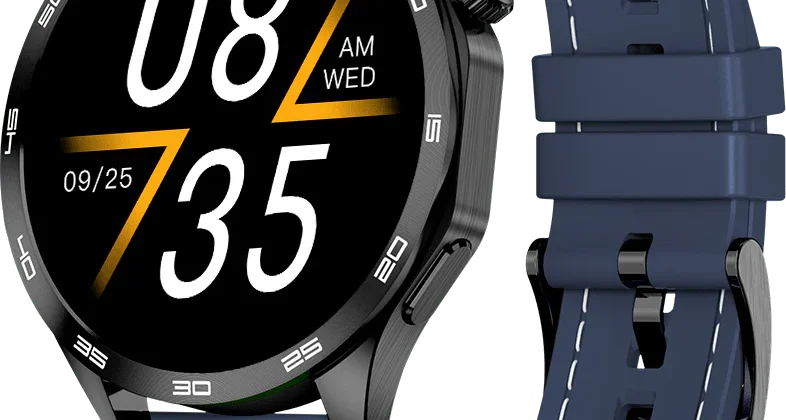
A watch with a bright, high‑contrast screen, large fonts, and simple icons is beneficial for users who may have reduced vision or dexterity. Smartwatches made for seniors emphasise this kind of clarity and ease‑of‑navigation.
Menus should avoid unnecessary complexity. Prefer logically arranged, minimal screens rather than deep nested apps. Voice control or physical shortcuts help as well when fine motor control becomes a challenge.
Safety & emergency features
Falls and medical emergencies are real concerns for older adults. Smartwatches that offer fall detection, dedicated SOS/emergency buttons, and even GPS location tracking provide peace of mind for the wearer and their caregivers.
For example, if a fall is detected and the wearer does not respond, the device can alert designated contacts or services. An SOS button allows quick communication in an emergency without navigating menus.
Health and wellness monitoring
Useful health features for seniors include continuous heart‑rate monitoring, blood‑oxygen (SpO₂) tracking, sleep analytics, and activity or step tracking. These help provide wellness feedback and early signals when something may need attention.
While these functions don’t replace medical devices, they offer meaningful trend‑tracking and promote proactive health management.
Battery life & comfort
A watch that needs daily charging can quickly become a burden—especially for older users who may forget to charge or tolerate frequent interruptions. Reviews often point out battery life as a key usability issue.
Aim for a model that lasts multiple days if possible. Comfortable strap, lightweight design and minimal need for nightly attention make it easier to wear at all times (including while sleeping).
Compatibility, connectivity & independence
If the senior already has a smartphone then smooth syncing and notifications matter. If not, watches with standalone cellular/lTE capabilities give real independence—no need for a phone to be nearby.
Also check if the ecosystem (Android or iOS) matches the user’s device and preference, and whether premium features like fall detection or SOS will function on that platform.
Selecting the Right Watch: Use‑Case Match
Rather than simply buying the most advanced model, match the watch to the user’s lifestyle and comfort level.
If the senior is already comfortable with smartphones and apps, you might choose a full‑featured smartwatch with health tracking, voice commands and connectivity. In that case, you’ll prioritise advanced features and integration.
If the senior is less tech‑savvy or primarily needs safety, fall detection and simple fitness tracking, then a more streamlined watch with large icons, an SOS button and minimal setup might be better. Simplicity and reliability trump features.
Consider how often the device will be worn (day and night), whether the user is active or sedentary, if they go out alone and need GPS capability, and whether they’ll manage charging. Also think about their smartphone or lack thereof: a watch that works independently may be worthwhile.
What to Avoid / Trade‑Offs to Keep in Mind
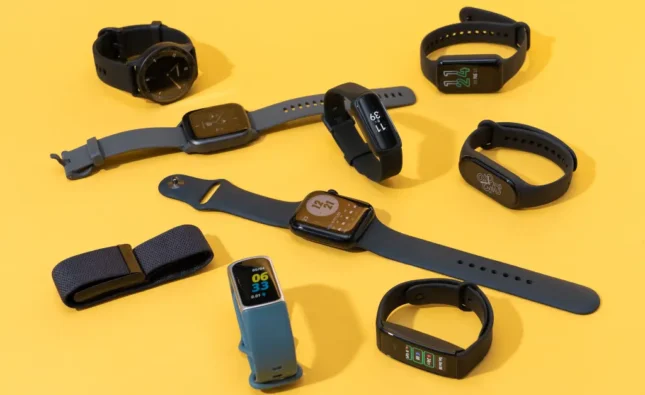
Some trade‑offs are inevitable. For example, the very smallest watches may have tiny screens that are hard to read or touch controls that frustrate older users. One senior user commented:
“The screen is too small … the sensitive touchscreen is impossible to navigate with his slight tremor.”
Also, many full‑feature watches require nightly charging—if the user is unlikely to reliably charge it, daily use suffers. For some older users, overly complex interfaces or features they don’t use become confusing rather than helpful. The key is adoption, not just features.
Hybrid or simplified watches (fewer apps, longer battery) may forgo advanced features like built‑in GPS or large app stores—but they often win in ease of use and value for older adults. Focus on reliability, regular usage, and comfort.
Frequently Asked Questions (FAQ)
Q: Does my senior parent need a smartwatch with fall detection?
A: Fall detection can be a valuable safety feature, especially if the wearer is prone to balance issues or lives alone. Many smartwatches include fall detection with an option to call emergency contacts if no response is detected. However, it’s not a substitute for proper medical monitoring or a full‑blown emergency response system—just a helpful additional layer.
Q: Will the health tracking features (heart‑rate, SpO₂) be accurate for an older user?
A: Most modern smartwatches provide reliable trend data that is useful for monitoring wellness—especially for resting heart rate, sleep trends, and blood oxygen levels. But they are not medical devices and should not replace doctor‑prescribed equipment. They’re useful for awareness and proactive steps, not diagnosis.
Q: My parent doesn’t have or want to use a smartphone—what should I look for?
A: Choose a watch with standalone connectivity (LTE/4G) and SOS/emergency features built in, so they don’t need a phone to receive alerts. Some watches are designed specifically for seniors without a companion phone requirement.
Q: What’s the minimum battery life I should accept for a senior smartwatch?
A: Ideally at least 2–3 days, but 4–7 days is significantly better for older users who may skip frequent charging. A longer battery means more consistent wear and more reliable safety/health monitoring. Short battery life often becomes a barrier to regular use.
Q: Are there special comfort/accessibility considerations for seniors?
A: Yes—choose a comfortable, adjustable strap (silicone or soft leather) that fits smaller wrists, ensure the display can be adjusted for large fonts and contrast, and look for voice or physical button controls if dexterity is limited. Simplicity matters more than bells and whistles.
Conclusion
Choosing the best smartwatch for a senior isn’t just about picking the latest tech or most features—it’s about making sure the device suits their comfort, safety and lifestyle in a way they will actually use. Prioritise large, clear displays, simple navigation, safety/emergency features, dependable health monitoring, and decent battery life. Avoid overly complicated ecosystems or watches that demand nightly charging if that won’t work in reality.
When matched to the person’s habits and needs, a smartwatch becomes a meaningful tool for independence, wellness and connection—rather than a gadget that sits unused. With thoughtful choice, you can help a loved one feel safer, stay connected and monitor their health—all with a wearable they’ll keep on and use with confidence.