


Home security is more important than ever, and modern technology has made protecting your home easier and more effective. Smart security devices—from cameras and doorbells to motion sensors and smart locks—allow homeowners to monitor their property, receive alerts, and even take action remotely. In 2025, these devices are not only more affordable but also user-friendly, making it simple for anyone to create a safer living environment. This guide explains how to set up smart security devices at home and use them effectively, offering tips to maximize protection and convenience.
Understanding Smart Security Devices
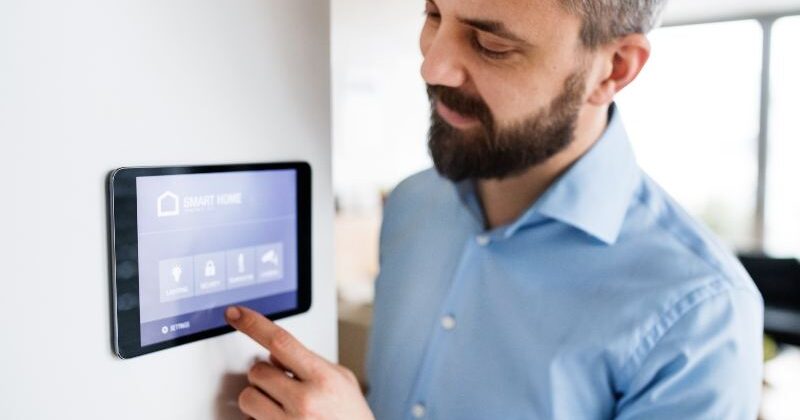
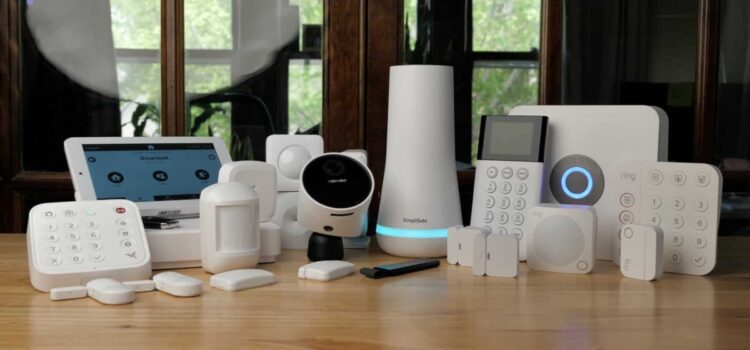
Smart security devices are tools that connect to your home network, enabling remote monitoring and control. They include indoor and outdoor cameras, video doorbells, motion detectors, smart locks, and alarm systems. Most devices are compatible with smartphones or voice assistants, allowing you to receive instant alerts, view live footage, or lock and unlock doors from anywhere. Unlike traditional security systems, smart devices offer flexibility and customization, so you can monitor your home in real-time, even when you are away. Understanding how these devices work and what features are essential helps you choose the right setup for your home.
Choosing the Right Smart Security Devices
Selecting the right devices starts with assessing your home’s security needs. For example, a video doorbell is excellent for monitoring entrances, while indoor cameras help keep an eye on valuables or pets. Motion sensors provide alerts if someone enters specific areas, and smart locks let you control access without physical keys. When choosing devices, consider factors such as compatibility with your smartphone or home assistant, ease of installation, storage options for video footage, and battery life. High-quality devices with strong customer support can save you frustration and ensure reliability over time.
Setting Up Smart Security Devices
The setup process for smart security devices is typically straightforward. Start by reading the manufacturer’s instructions carefully and ensure your Wi-Fi network is strong and secure. For cameras and doorbells, position them to cover key entry points or vulnerable areas. Indoor cameras should avoid direct sunlight or glare to maintain image clarity. Motion sensors and alarms should be placed in high-traffic zones without causing false triggers. After physically installing the devices, download the corresponding app on your smartphone, connect each device to your Wi-Fi network, and follow the app’s setup process. Make sure to update the device firmware to the latest version for security and functionality.
Integrating Devices for Maximum Security
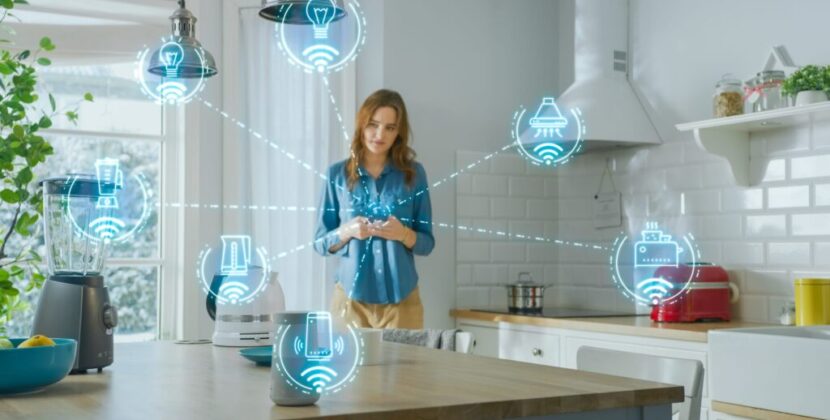
To get the most from smart security devices, integration is key. Many devices allow you to create automation rules—for example, turning on lights when motion is detected or sending alerts to multiple family members simultaneously. Integration with voice assistants like Amazon Alexa or Google Assistant can add hands-free control and quick status checks. Cloud storage or local storage options let you review past events, which is especially useful for tracking suspicious activity. By combining cameras, sensors, and smart locks, you create a comprehensive system that enhances safety and gives you peace of mind.
Using Smart Security Devices Effectively
Once your devices are set up, using them effectively is essential. Regularly check live feeds and review recordings to ensure everything functions properly. Set alert preferences in your app so you receive notifications for relevant events, avoiding excessive or irrelevant alarms. Test sensors and alarms periodically to confirm proper operation. If your devices support remote access, ensure your smartphone’s security settings are robust, including strong passwords, two-factor authentication, and app updates. Using your devices strategically—monitoring entrances, key rooms, and outdoor areas—maximizes protection without overwhelming you with unnecessary alerts.
Maintaining Security Devices
Maintenance is crucial for reliable performance. Clean camera lenses and motion sensors to avoid false alerts. Replace batteries promptly in battery-powered devices to prevent downtime. Update device firmware whenever new versions are released to maintain security and add new features. Periodically review and adjust settings as your home’s needs change, especially if you move furniture, renovate, or install additional devices. Proper maintenance ensures your smart security system remains effective and responsive over time.
Common Mistakes to Avoid
Many homeowners make mistakes that reduce the effectiveness of smart security devices. Placing cameras too high or too low can create blind spots, while poor Wi-Fi coverage can lead to dropped connections. Over-relying on notifications without reviewing footage can mean missed events. Avoid using default passwords and failing to update software, which can compromise security. Additionally, buying excessive devices without planning integration may create confusion rather than protection. By avoiding these mistakes, you ensure your system works efficiently and reliably.
Frequently Asked Questions (FAQs)
Q1: Can I install smart security devices myself?
Yes. Most modern devices are designed for easy DIY installation. Manufacturer guides, video tutorials, and customer support make setup simple, even for beginners.
Q2: Do I need professional monitoring for smart security devices?
Not always. Many devices offer self-monitoring through apps, but some premium options provide professional monitoring for a monthly fee. Choose based on your preference and security needs.
Q3: Are smart security devices safe from hacking?
They are generally safe if you follow best practices: use strong passwords, enable two-factor authentication, update firmware regularly, and avoid unsecured Wi-Fi networks.
Q4: Can smart devices replace traditional security systems?
In many cases, yes. Integrated smart devices offer real-time monitoring, alerts, and remote control that rivals traditional systems, though personal preference and property size may influence choice.
Q5: How do I ensure continuous operation during power outages?
Many devices include battery backups or optional UPS systems. Regularly check and maintain batteries to ensure your system remains operational during outages.
Conclusion
Smart security devices provide homeowners with peace of mind, convenience, and real-time control over their property. By understanding different device types, choosing the right setup, and maintaining proper usage, you can create a comprehensive security system that is reliable, effective, and easy to manage. From cameras and doorbells to smart locks and motion sensors, integrating these devices enhances home safety, supports remote monitoring, and makes your life simpler. Setting up and using smart security devices in a strategic and thoughtful manner ensures that your home is protected without overwhelming complexity.